




Laser Engraving vs. Laser Cutting on Acrylic: What’s the Difference?
Acrylic is a popular material across industries due to its transparency, strength, and versatility. From signage and trophies to display units and protective barriers, acrylic products are in high demand. To shape and customize these items, two laser-based techniques are commonly used: Laser Engraving and Laser Cutting. Although often mentioned together, these two processes serve distinct purposes and require different approaches.
If you’re working with acrylic and unsure which method is best for your project, this guide will help you understand the key differences among laser cutting and engraving.

What Is Laser Cutting?
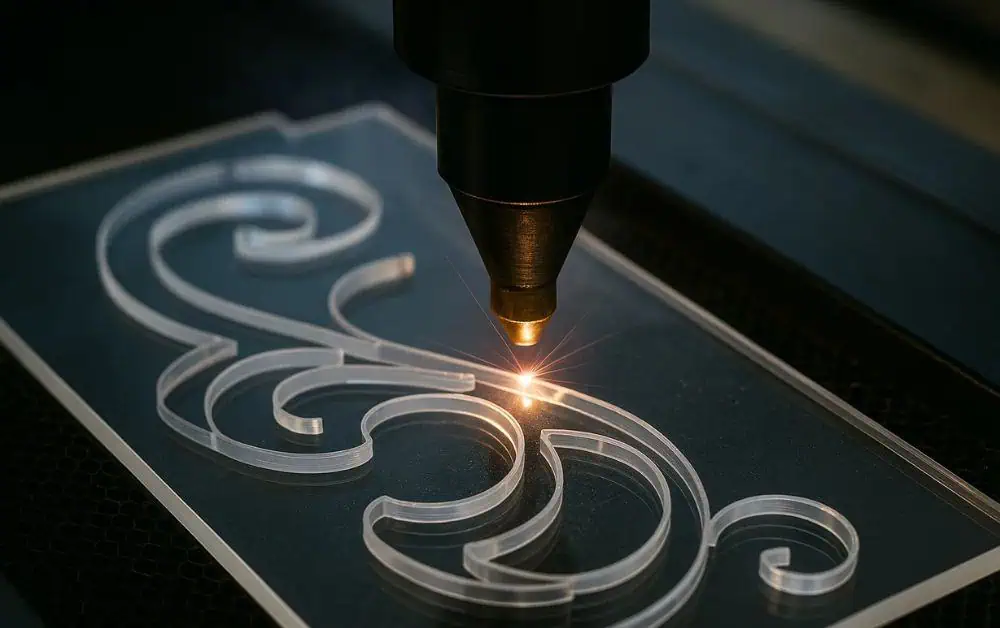
Laser cutting includes using a high-powered laser beam to cut completely through the acrylic material. It’s a subtractive manufacturing process, meaning it removes parts of the material to form a desired shape or design.
Key Features of Laser Cutting:
- Clean, Precise Cuts: Laser cutting provides sharp edges and fine detailing without physical contact.
- Ideal for Shaping: It is best used when you need to carve out intricate shapes, letters, or forms from acrylic sheets.
- Minimal Waste: With computerized control, there’s minimal material wastage during cutting.
- Speed & Efficiency: Laser cutters can process multiple pieces quickly, making it ideal for mass production.
Applications of Laser Cutting on Acrylic:
- Acrylic signboards and letters
- Machine guards or protective covers
- Stencils and panels
- Furniture components
Laser cutting is especially useful when the goal is to separate pieces from a sheet, maintain accuracy, and achieve polished edges without the need for further finishing.
What Is Laser Engraving?
Laser engraving is the procedure of using a laser beam to etch or mark the surface of acrylic. Unlike cutting, engraving doesn’t go all the way through the material — it only affects the top layer to create a design, text, or pattern.
Key Features of Engraving:
- Surface Detailing: Engraving affects the surface and creates depth in a controlled manner.
- Visual Contrast: It produces a frosted, white, or colored appearance that contrasts well with clear or colored acrylic.
- Non-Contact Process: No physical tool touches the material, reducing the risk of scratches or damage.
- Customizable: Designs can be updated digitally and engraved in real time, offering flexibility for personalization.
Applications of Engraving on Acrylic:
- Logos and branding elements
- Awards, trophies, and plaques
- Decorative panels and artwork
- Instructional or safety labeling
Engraving is preferred when you’re looking to add intricate artwork, text, or identification marks to acrylic surfaces without changing the overall shape.
Laser Engraving vs. Laser Cutting: A Side-by-Side Comparison
| Feature | Cutting | Engraving |
| Purpose | To cut shapes or designs through acrylic | To etch or mark the surface |
| Depth | Cuts entirely through the material | Penetrates only the top layer |
| Edge Finish | Smooth and polished | Frosted or matte appearance |
| Usage | Creating parts or signage | Adding text, logos, designs |
| Material Thickness | Suitable for thin to thick sheets | Best for medium-thickness sheets |
| Design Focus | Form and structure | Detail and aesthetic finish |
Both techniques use similar equipment, but the settings—such as laser intensity, speed, and focus—are adjusted based on the desired outcome.
Choosing the Right Method for Your Project
The decision between laser cutting and engraving depends on your project’s objectives:
Choose Cutting When:
- You need to cut out shapes, letters, or parts.
- Edge quality and precision are important.
- You’re working with a design that requires separation from a larger sheet.
Choose Engraving When:
- You want to add a permanent design or label.
- Aesthetic detailing is your priority.
- You require brand personalization or serial marking.
Sometimes, projects require a combination of both processes—for instance, cutting out an acrylic award plaque and engraving the recipient’s name on it.
Design Tips for Engraving on Acrylic
To ensure the best results when engraving acrylic, keep these tips in mind:
- Use Vector and Raster Files: Vector files (like .AI, .EPS, .SVG) are great for cutting, while raster images (like .JPG, .PNG) are better for engraving.
- Adjust DPI and Power Settings: High-resolution engraving (500–1000 DPI) gives more detail, but slower speeds may be needed to avoid burn marks.
- Select the Right Acrylic Type: Cast acrylic engraves with a frosted white finish, while extruded acrylic may not engrave as cleanly.
- Test Before Full Production: Always run a sample to check how the design appears on your chosen material.
In Conclusion
Understanding the difference between laser cutting and engraving can help you make informed decisions for your acrylic projects. While cutting shapes the material, engraving adds intricate visual and functional elements that elevate the design. Both techniques offer high precision, but the key lies in picking the one that aligns with your project goals.
At Pleasant Plastic, we specialize in both laser cutting and engraving on acrylic, delivering quality craftsmanship and fast turnaround for custom projects across the UAE.
